Roku Streaming Stick HD: Complete 2026 Editorial Review
The transition from traditional cable television to internet‑based streaming services continues to reshape how households consume entertainment content. The Roku Streaming Stick HD addresses this shift by providing an accessible entry point into streaming media, transforming any television with an HDMI port into a connected entertainment hub capable of accessing hundreds of streaming applications and free live television channels.
This editorial review examines the Roku Streaming Stick HD from a purely technical and functional perspective, analyzing its hardware specifications, streaming capabilities, interface design, and practical use cases. The assessment focuses on verifiable product features and documented performance characteristics without promotional language or unsubstantiated claims.
Table of Contents
- Product Specifications & Hardware
- Design & Physical Construction
- Streaming Performance & Resolution
- Roku Platform & Interface
- Voice Remote Functionality
- Channel Access & Content Libraries
- Setup Process & Requirements
- Portability & Travel Use
- Comparison with Other Roku Models
- Suitable Use Cases
- Technical Limitations
- Final Editorial Assessment




Product Specifications & Hardware
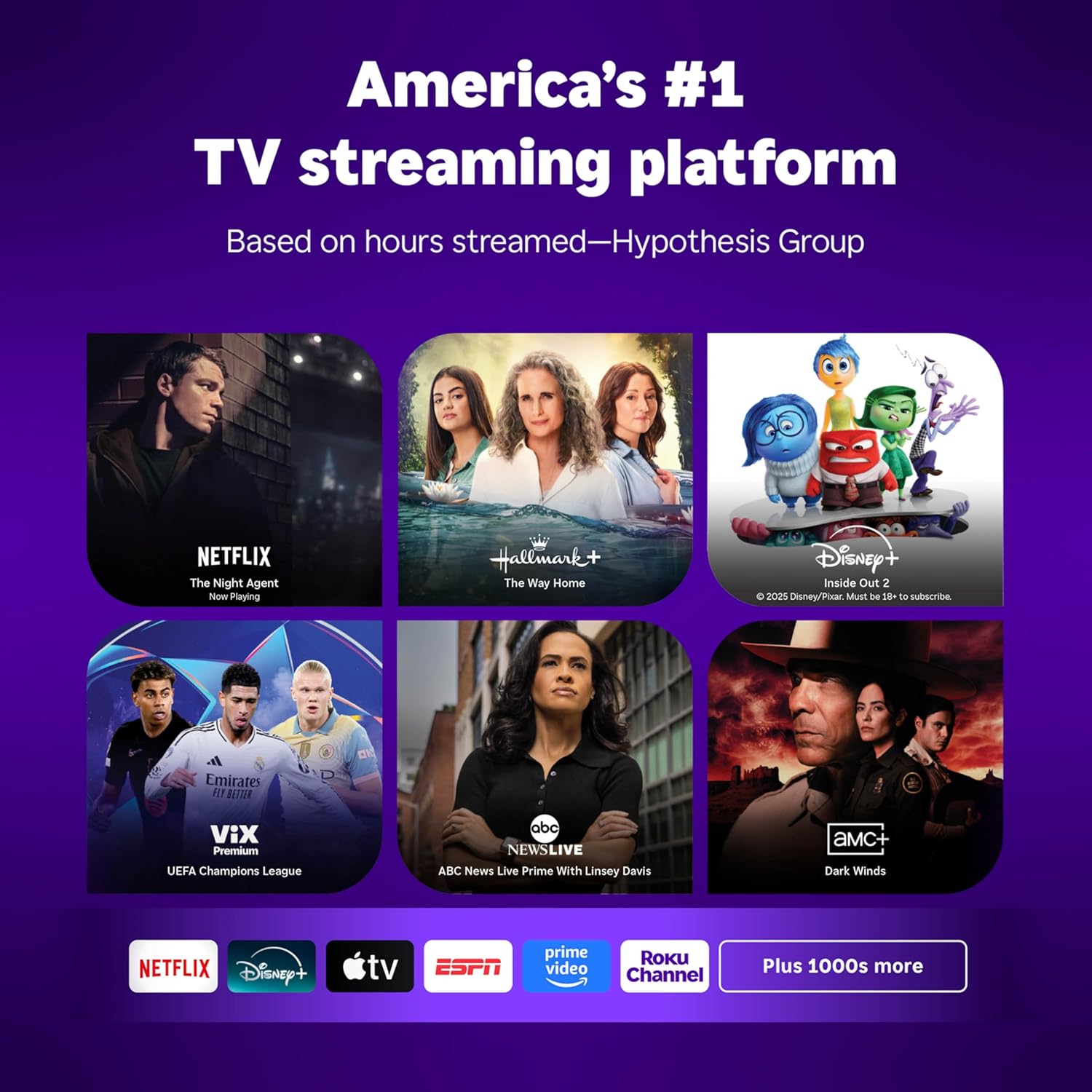
Roku operates as America’s leading television streaming platform measured by hours streamed according to independent research. The company manufactures a range of streaming devices spanning different price points and capability tiers, with the Roku Streaming Stick HD representing the entry‑level option optimized for standard high‑definition content.
The hardware incorporates a quad‑core processor designed to handle streaming data processing, interface navigation, and application execution. The device includes 512MB of data storage capacity and 0.51GB of system RAM. These specifications position the Roku Streaming Stick HD for HD streaming operations rather than the more demanding 4K video processing that requires additional computational resources.
Maximum resolution output reaches 1080p, commonly referred to as Full HD. This specification means the Roku Streaming Stick HD can stream content at 1920×1080 pixel resolution, which matches the native resolution of most televisions manufactured between 2010 and 2018 before 4K displays became standard in the premium television market.
Wireless connectivity operates via Wi‑Fi 4 using the IEEE 802.11n standard. This wireless protocol supports theoretical maximum speeds around 600 Mbps under optimal conditions, though real‑world performance typically ranges between 100–300 Mbps depending on router distance, interference, and network congestion. For HD streaming, most services recommend minimum connection speeds of 5–8 Mbps, placing modest demands on the wireless capabilities of the Roku Streaming Stick HD.
Bluetooth 5.0 integration enables wireless headphone connectivity through the remote control, creating private listening options without disturbing others in the viewing space. This feature addresses a common use case where individual household members want to watch content at higher volumes during hours when others are sleeping or engaged in quiet activities, and it is one of the practical advantages of the Roku Streaming Stick HD.
Design & Physical Construction
The physical form factor of the Roku Streaming Stick HD follows a compact stick design measuring approximately 3.7 inches in length with a cylindrical profile. The unit weighs minimally, making it easily portable and creating negligible strain on HDMI port connections.
The stick plugs directly into television HDMI ports, with the HDMI connector built into one end of the device. This integrated design eliminates the need for HDMI cables, simplifying connection requirements and reducing cable clutter behind television installations. The Roku Streaming Stick HD is especially convenient for wall‑mounted TVs where space behind the screen is limited.
Power delivery occurs through a USB connection rather than requiring a dedicated wall outlet. Most modern televisions include USB ports that provide sufficient power to operate the Roku Streaming Stick HD. This power arrangement means the device can draw electricity directly from the television, automatically powering on when the TV activates and shutting down when the television turns off.
The slim cylindrical shape prevents the device from blocking adjacent HDMI ports on television sets with multiple HDMI connections positioned close together. This design consideration matters for users with multiple devices requiring HDMI connections, such as gaming consoles, Blu‑ray players, or cable boxes, and it is a key benefit of the Roku Streaming Stick HD.
The black plastic housing blends visually with the typical black bezels found on most television designs. Once installed behind the television, the Roku Streaming Stick HD remains largely invisible during normal viewing, maintaining clean aesthetics without visible equipment.
Streaming Performance & Resolution
The Roku Streaming Stick HD delivers content at maximum 1080p resolution with support for standard dynamic range video. The device does not support 4K Ultra HD resolution, HDR10, HDR10 Plus, Dolby Vision, or other enhanced video technologies found in premium streaming devices and modern television displays.
For households with HD televisions or those who primarily watch content on screens where the resolution difference between HD and 4K appears minimal, the 1080p output of the Roku Streaming Stick HD provides clear picture quality suitable for typical viewing distances and screen sizes. Standard viewing distance calculations suggest that viewers sitting more than 6–7 feet from screen sizes below 55 inches experience limited perceptual benefit from 4K resolution compared to quality 1080p content.
The quad‑core processor enables responsive interface navigation and quick application launching. Independent testing indicates the Roku Streaming Stick HD boots applications approximately 30 percent faster than previous‑generation Roku Streaming Stick models. This performance improvement translates to reduced waiting time when switching between streaming services or launching content.
Video playback operates smoothly when adequate internet bandwidth exists. The Roku Streaming Stick HD automatically adjusts stream quality based on available network speed, temporarily reducing resolution during bandwidth fluctuations to maintain uninterrupted playback rather than stopping for buffering. This adaptive bitrate streaming represents standard functionality across modern streaming platforms.
Audio output supports Dolby Audio and DTS Digital Surround pass‑through via HDMI. The device transmits audio signals to the television or connected sound system without decoding, allowing compatible audio equipment to process surround sound formats. This pass‑through capability means users with surround sound systems can access multi‑channel audio when streaming content that includes such encoding, even when using the Roku Streaming Stick HD.
Roku Platform & Interface
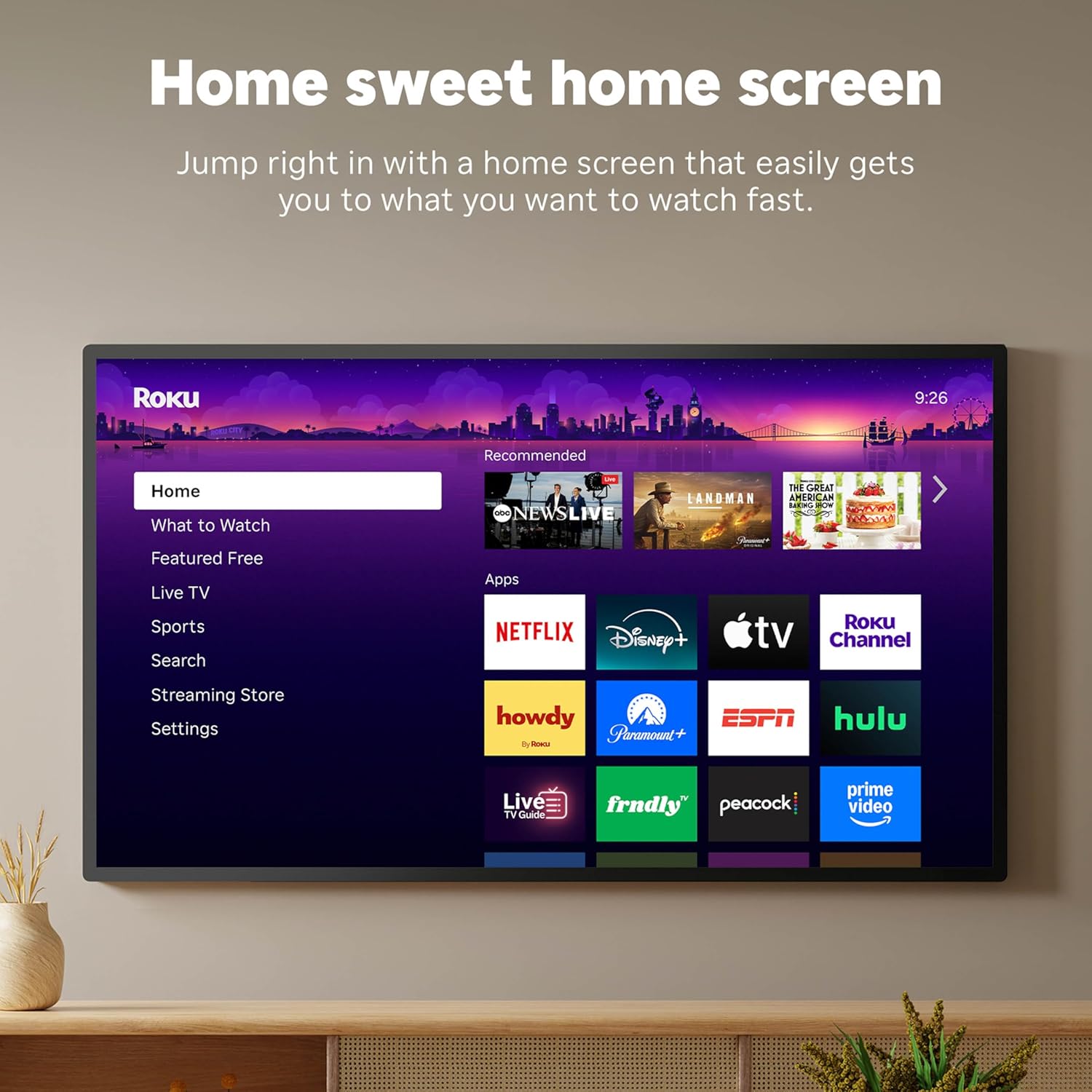
The Roku operating system provides the software foundation for the streaming experience. The interface organizes content through a grid‑based home screen displaying installed applications as icons arranged in customizable rows. Users can rearrange application positions, creating personalized layouts that place frequently used services in prominent positions, and this interface is shared across devices including the Roku Streaming Stick HD.
The platform receives regular software updates delivering new features, security patches, and performance improvements. Updates install automatically during idle periods, ensuring the Roku Streaming Stick HD maintains current functionality without requiring manual intervention. This automatic update system keeps the streaming stick current with evolving streaming service requirements and platform capabilities.
Universal search functionality allows users to enter content titles once and receive results showing which streaming services offer that content. The search results display pricing information for rental or purchase options alongside subscription service availability. This cross‑platform search eliminates the need to search within individual applications, streamlining content discovery on the Roku Streaming Stick HD.
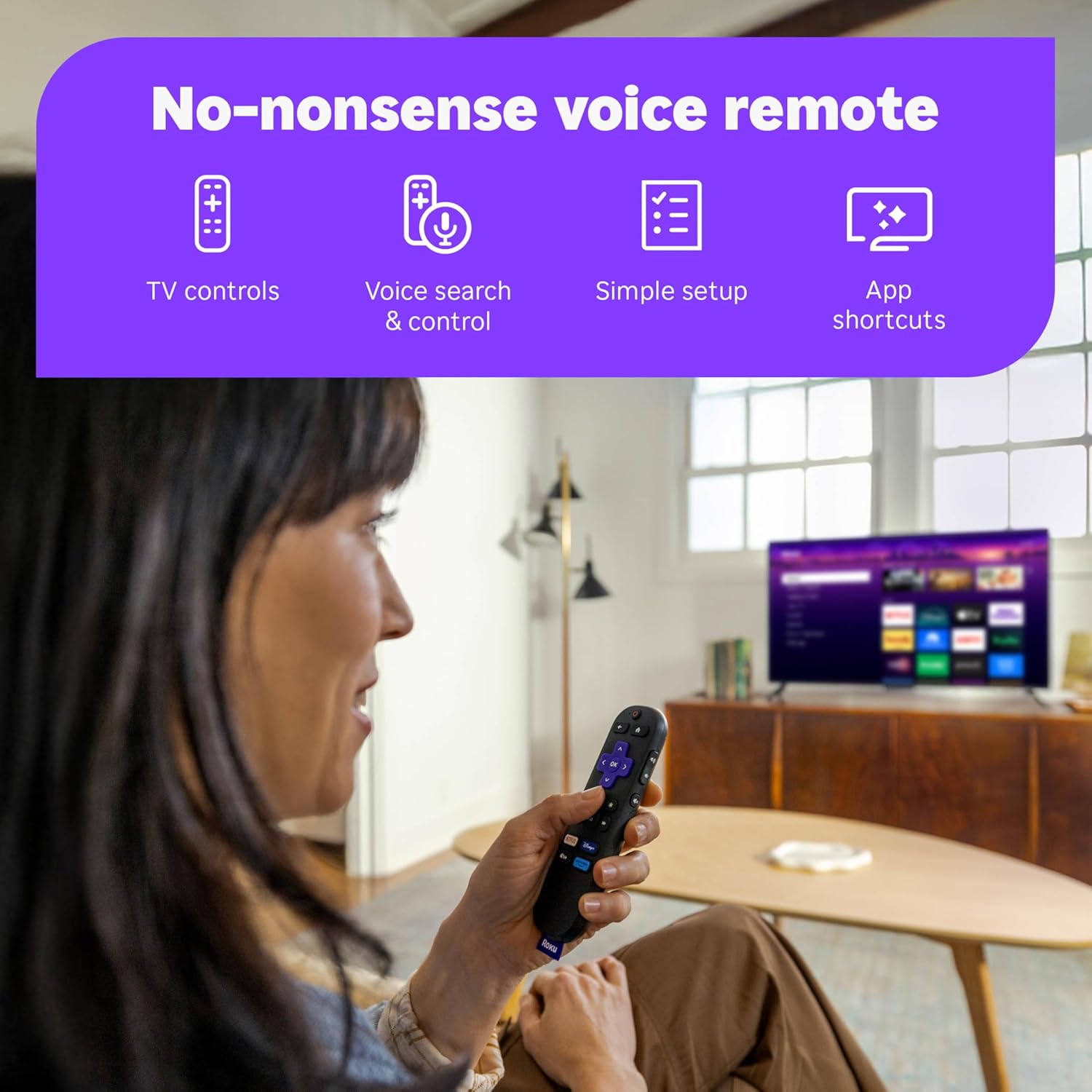
Voice search enables spoken queries through the remote microphone, processing natural language requests to locate content, launch applications, or perform playback controls. The voice recognition system understands common commands such as “open Netflix,” “find action movies,” or “play stranger things,” and this feature is built into the Roku Streaming Stick HD remote.
The platform includes parental control features allowing restriction of content based on ratings, PIN protection for purchases, and channel blocking. These controls help households manage content access for younger viewers according to family preferences and guidelines, and they are fully available when using the Roku Streaming Stick HD.
The Roku Channel application comes pre‑installed, providing access to free ad‑supported content including movies, television shows, and live programming. This built‑in content library operates without requiring separate subscription fees, funded instead through advertising similar to traditional broadcast television models, and it is one of the main reasons users choose the Roku Streaming Stick HD.
Voice Remote Functionality
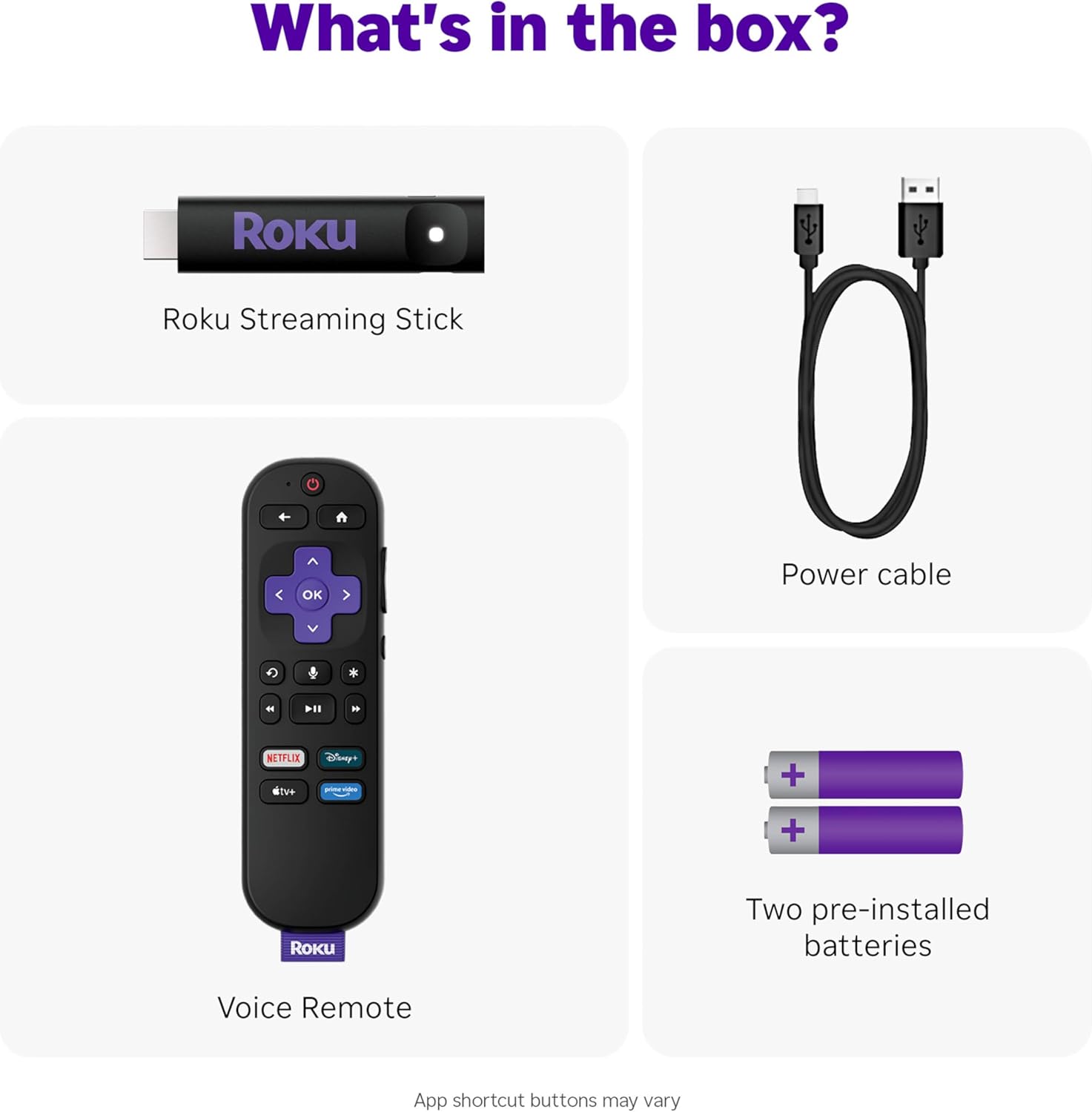
The included voice remote for the Roku Streaming Stick HD consolidates multiple control functions into a single device, eliminating the need to juggle separate remotes for the streaming stick, television power, and volume adjustment. The remote communicates with the Roku device via wireless connection while also transmitting infrared signals for television control.
Dedicated buttons provide quick access to specific streaming services. The remote includes shortcut buttons for popular platforms, enabling one‑touch launching of those applications without navigating through the home screen menu. The specific services featured on shortcut buttons vary by remote version and manufacturing batch, but all are designed to work seamlessly with the Roku Streaming Stick HD.
Voice control activation occurs through a microphone button on the remote. Users press and hold the microphone button while speaking commands, releasing the button after completing their query. The system processes voice input through cloud‑based speech recognition, requiring active internet connection for voice features to function on the Roku Streaming Stick HD.
Television power and volume buttons operate via infrared signals, requiring line‑of‑sight between the remote and television. During initial setup, the Roku system detects the television brand and configures appropriate infrared codes automatically. This automatic configuration process works with most major television manufacturers, though some brands may require manual code entry when using the Roku Streaming Stick HD.
The private listening feature enables audio playback through headphones connected to the remote via Bluetooth. When headphones pair with the remote, television speakers automatically mute, redirecting all audio through the connected headphones. This feature creates personal listening environments where individuals can watch content without disturbing others in the household, particularly useful during late‑night viewing or in shared living situations, and it is a standout feature of the Roku Streaming Stick HD.
The remote includes standard playback controls including play/pause, rewind, fast‑forward, and directional navigation buttons. A back button returns to previous menu screens, while a home button instantly returns to the main Roku home screen from any application or menu level. All of these controls are tailored for everyday use with the Roku Streaming Stick HD.
Channel Access & Content Libraries
The Roku platform provides access to major streaming services including Netflix, Hulu, Disney Plus, Amazon Prime Video, HBO Max, Apple TV Plus, YouTube, Paramount Plus, Peacock, Discovery Plus, and numerous other platforms. Each streaming service requires separate subscription or account credentials, with the Roku Streaming Stick HD serving as the technical delivery system rather than a content provider.
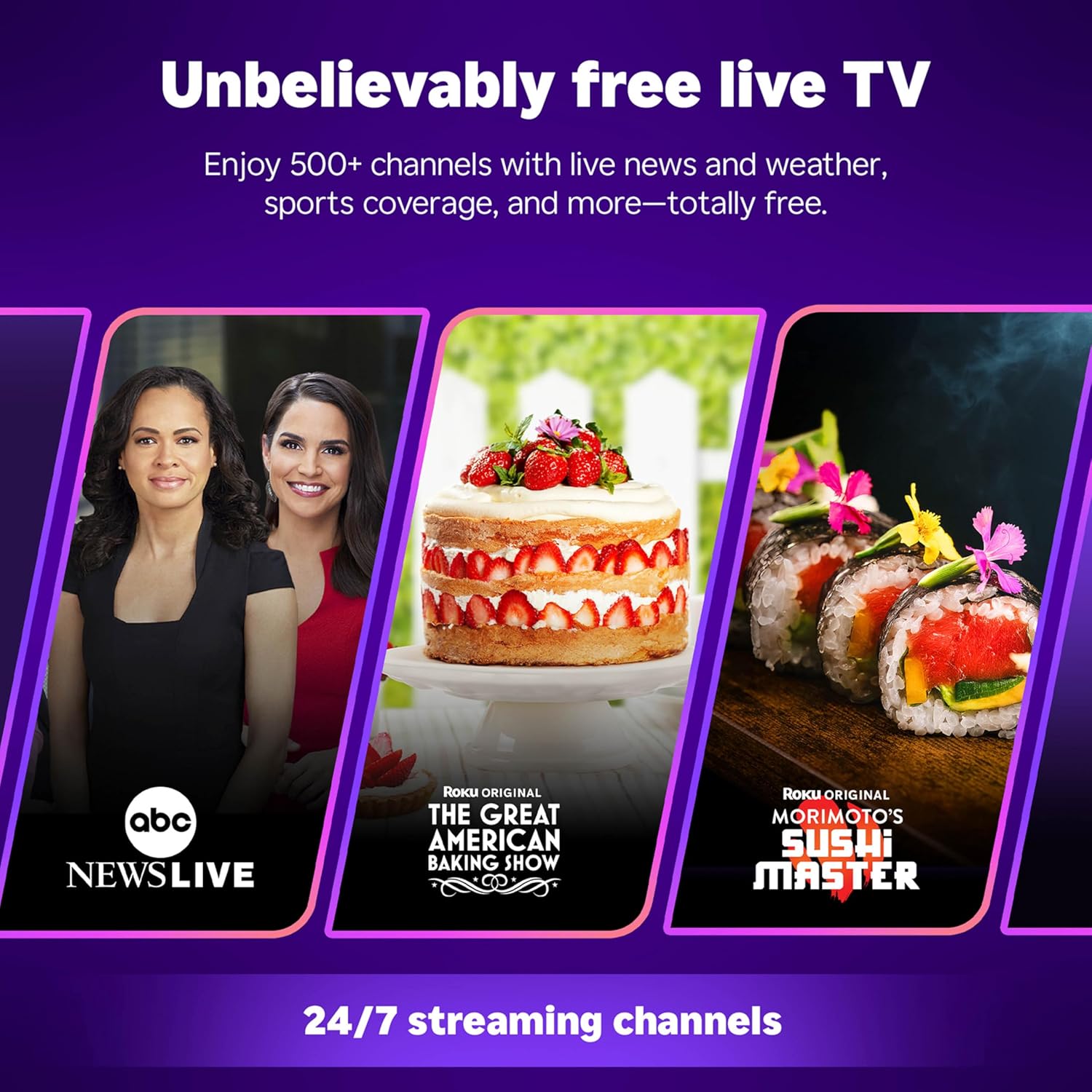
The Roku Channel offers over 500 free live television channels covering news, weather, sports, entertainment, and specialty programming. These channels operate with commercial interruptions similar to traditional broadcast television but require no subscription fees. Content quality and availability vary by channel, with some offering current programming while others feature older content or niche subjects, and they are fully accessible through the Roku Streaming Stick HD.
Free on‑demand content includes thousands of movies and television episodes available through The Roku Channel and other free streaming applications. This content library rotates periodically as licensing agreements change, with new titles added and others removed following standard streaming industry practices. The Roku Streaming Stick HD gives users easy access to this rotating catalog.
Application availability encompasses most mainstream streaming services plus specialized channels for specific interests including international programming, educational content, religious broadcasting, and hobby‑focused media. The Roku Channel Store contains thousands of available applications, though content quality and update frequency vary significantly across different channel developers. The Roku Streaming Stick HD can install a wide range of these channels within its storage limits.
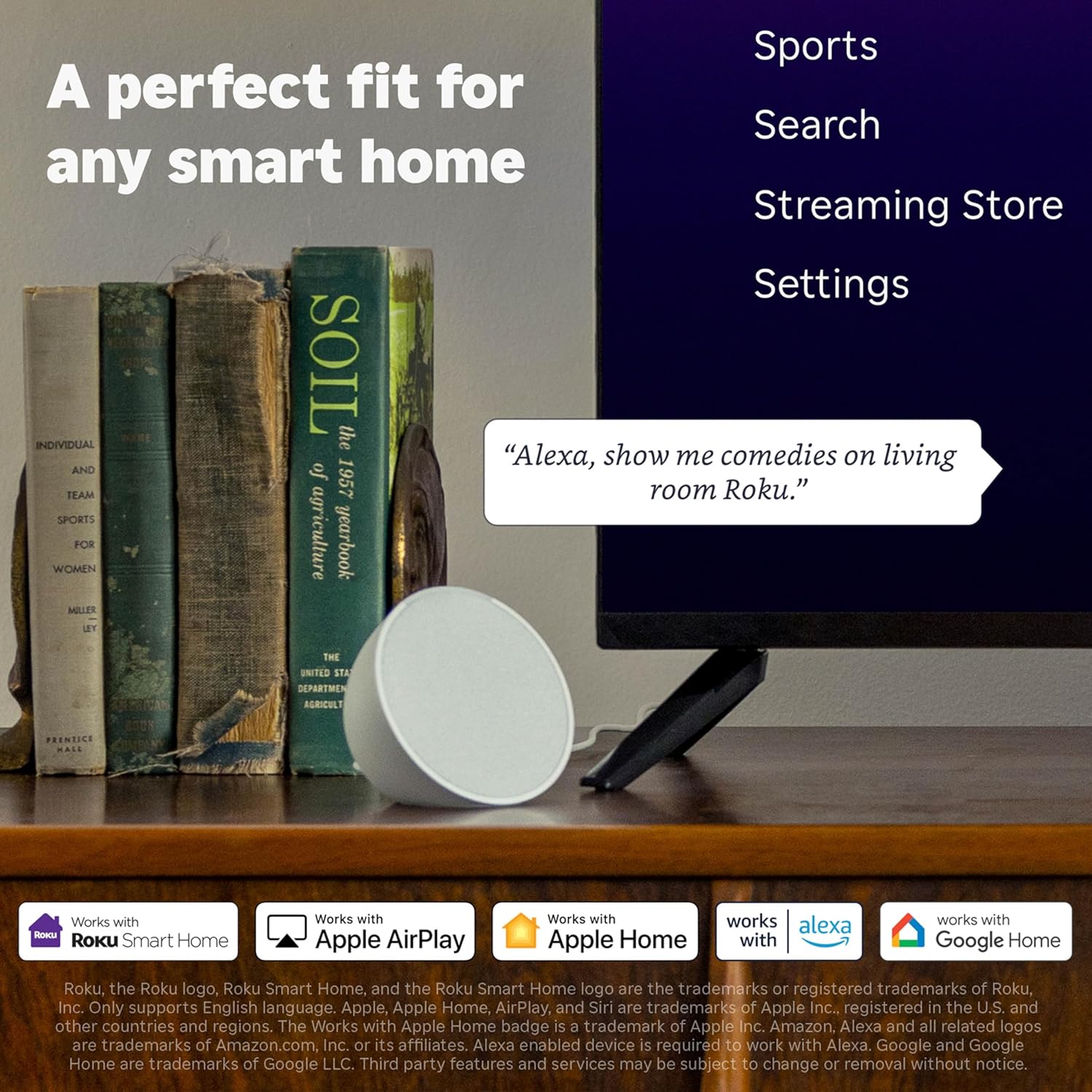
Casting capability supports AirPlay from Apple devices and screen mirroring from compatible Android phones and tablets. These features enable users to display content from mobile devices on the television screen, useful for sharing photos, presentations, or streaming from applications not available as dedicated Roku channels. The Roku Streaming Stick HD supports these casting features as part of its platform integration.
Setup Process & Requirements
Initial configuration of the Roku Streaming Stick HD requires several sequential steps to prepare the device for streaming operation. Users begin by connecting the Streaming Stick to an available HDMI port on their television and providing power either through a USB port or the included wall adapter if USB power proves insufficient.
After physical connection, users switch their television input to the corresponding HDMI port displaying the Roku welcome screen. The on‑screen setup wizard guides users through language selection, network connection, and account creation or login for the Roku Streaming Stick HD.
Network configuration involves selecting the home Wi‑Fi network from a list of detected networks and entering the wireless password. The device tests the connection speed and displays network strength to confirm adequate bandwidth for streaming. Roku recommends minimum internet speeds of 3.0 Mbps for standard definition content and 5.0–8.0 Mbps for HD streaming, which are easily met by most home networks used with the Roku Streaming Stick HD.
Account setup requires creating a Roku account or logging into an existing account. The account links purchased content, channel installations, and preferences across multiple Roku devices. Account creation requires an email address and password, with optional payment method addition for rental purchases or subscription sign‑ups through the Roku platform, and this account works with the Roku Streaming Stick HD.
Software updates typically download during the initial setup process, ensuring the Roku Streaming Stick HD operates with current system software before proceeding to channel installation. Update downloads vary in duration depending on internet speed and update file size.
Channel installation allows users to add desired streaming services to their home screen. Popular services appear as suggestions during setup, or users can browse the Channel Store to locate specific applications. Each channel installation downloads the necessary application files, with installation times varying by channel size, and this process is identical whether you use the Roku Streaming Stick HD or another Roku device.
Remote pairing occurs automatically during setup, with the system detecting and connecting to the included remote control. If pairing fails, users can manually initiate pairing by pressing a button combination on the remote while positioned near the streaming device. This automatic pairing is standard for the Roku Streaming Stick HD.
Portability & Travel Use
The compact form factor and minimal power requirements of the Roku Streaming Stick HD create portability advantages for users who travel frequently or move between multiple locations. The device fits easily in luggage or bags without requiring significant packing space, and the lack of external power brick simplifies the travel accessory list.
Hotel and accommodation use represents a primary travel scenario. Many hotel televisions include accessible HDMI ports and USB power sources, allowing travelers to connect their Roku Streaming Stick HD and access their streaming subscriptions rather than navigating unfamiliar cable television interfaces or paying for premium in‑room entertainment options.
Network connection in new locations requires accessing available Wi‑Fi networks. Hotel networks often present additional login steps beyond simple password entry, including terms acceptance pages or room number verification. The Roku system accommodates these captive portal networks through built‑in browser functionality that appears when attempting to connect to networks requiring additional authentication, and this works the same on the Roku Streaming Stick HD.
Account persistence means the Roku Streaming Stick HD maintains user channel installations, preferences, and logged‑in states when moving between locations. This feature eliminates the need to reinstall channels or re‑enter credentials each time the device connects to a new network, streamlining the setup process in temporary locations.
Temporary living situations including extended stays, vacation rentals, dormitories, or temporary work accommodations benefit from the portable streaming capability of the Roku Streaming Stick HD. Rather than adapting to unfamiliar television systems or missing preferred streaming services, users can bring consistent entertainment access across different living environments.
Comparison with Other Roku Models
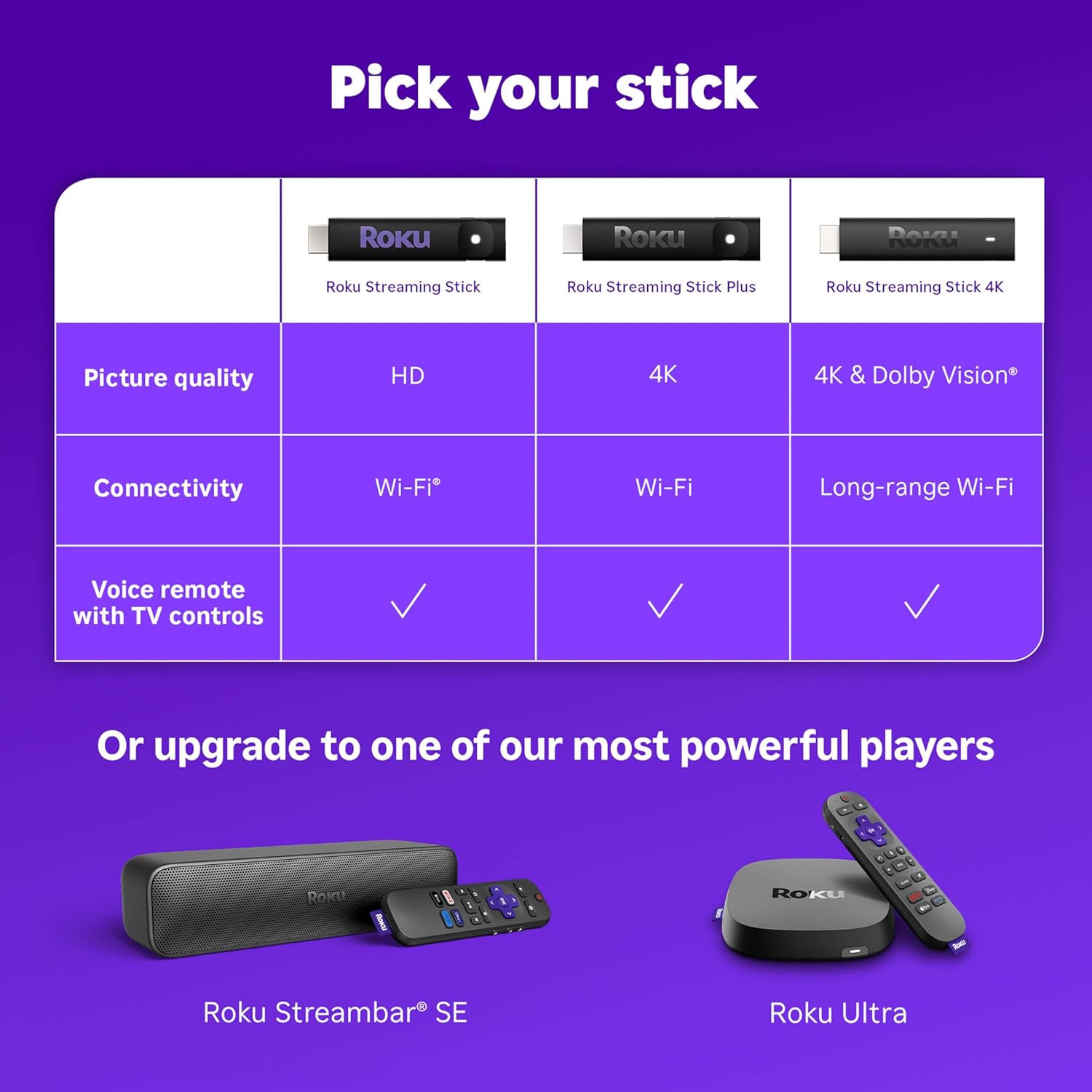
Roku manufactures several streaming device models differentiated primarily by resolution support, processing power, and included remote features. Understanding these distinctions helps users select appropriate models for their specific requirements and existing television capabilities, especially when choosing between the Roku Streaming Stick HD and other options.
The Roku Streaming Stick 4K adds support for 4K Ultra HD resolution, HDR10 Plus, Dolby Vision, and faster processing compared to the HD model. Users with 4K televisions should consider the 4K variant to maximize their display capabilities, though the price premium may not justify the upgrade for those with HD televisions or who primarily watch content where 4K availability remains limited. In contrast, the Roku Streaming Stick HD remains the better value for HD‑only setups.
The Roku Express provides similar HD streaming capabilities in a different form factor. Instead of a stick design, the Express uses a small box connected via HDMI cable. The Express typically costs less than the Roku Streaming Stick HD but includes a simpler remote without television control functionality. Users who prefer the integrated remote and compact stick design would favor the Roku Streaming Stick HD over the Express.
The Roku Ultra represents the premium tier, adding Ethernet connectivity for wired network connections, enhanced remote features, and additional processing power. The Ultra targets users requiring maximum performance, wired network reliability, or advanced features like lost remote finder functionality. The substantial price difference positions the Ultra for different use cases than the budget‑focused Roku Streaming Stick HD.
Roku TV devices integrate streaming functionality directly into television sets, eliminating the need for separate streaming hardware. Existing television owners seeking to add streaming without replacing their entire television find external devices like the Roku Streaming Stick HD more practical and economical than purchasing new Roku‑equipped televisions.
Suitable Use Cases
The Roku Streaming Stick HD addresses specific scenarios and user requirements where its capabilities align with practical needs:
- Upgrading older televisions lacking built‑in smart features to access modern streaming services without purchasing new television equipment, using the Roku Streaming Stick HD as the upgrade path
- Secondary televisions in bedrooms, guest rooms, or recreational spaces where 4K capabilities remain unnecessary and the Roku Streaming Stick HD provides sufficient performance
- Budget‑conscious households seeking basic streaming access without premium feature requirements, making the Roku Streaming Stick HD an economical choice
- Frequent travelers wanting portable entertainment access in hotels and temporary accommodations, where the compact Roku Streaming Stick HD is easy to carry
- College students in dormitories with HD televisions and limited equipment budgets, who benefit from the low cost and simplicity of the Roku Streaming Stick HD
- Vacation homes or seasonal residences requiring simple, relocatable streaming solutions, which the Roku Streaming Stick HD delivers reliably
- Households primarily consuming content from free streaming services and basic subscription platforms, where the Roku Streaming Stick HD provides all necessary functionality
- Users with HD televisions who watch content where 4K versions remain unavailable or provide minimal perceptual benefit, so the Roku Streaming Stick HD is perfectly adequate
The device may suit users less effectively in situations requiring:
- 4K television ownership where native 4K streaming would provide noticeable quality improvements, which the Roku Streaming Stick HD cannot deliver
- Premium home theater setups with advanced audio systems requiring Dolby Atmos or DTS:X support, beyond the capabilities of the Roku Streaming Stick HD
- Gaming applications or high‑performance streaming scenarios beyond basic video playback, where the Roku Streaming Stick HD may feel underpowered
- Network environments where wired Ethernet connections provide necessary reliability or speed advantages over Wi‑Fi, and the Roku Streaming Stick HD offers Wi‑Fi only
Technical Limitations
Several technical constraints define the operational boundaries of the Roku Streaming Stick HD, establishing realistic expectations for device capabilities:
Resolution limitation to 1080p means users cannot access 4K content streams even when their television supports higher resolutions. Streaming services typically offer separate 4K and HD versions of content, with the Roku Streaming Stick HD requesting HD streams by default due to its resolution ceiling. This limitation matters most for users with large 4K televisions viewing from close distances where resolution differences become apparent.
Absence of HDR support excludes the enhanced contrast and color range that HDR provides. HDR content displays as standard dynamic range on the Roku Streaming Stick HD, potentially showing reduced visual impact compared to HDR‑capable streaming devices on compatible televisions. HDR becomes increasingly standard in premium content, making this limitation more relevant as content libraries expand and users expect better image quality from devices like the Roku Streaming Stick HD.
Wi‑Fi‑only connectivity removes the option for wired Ethernet connections. Users experiencing Wi‑Fi reliability issues, network congestion, or signal strength problems cannot bypass these limitations through wired network connections as possible with Ethernet‑equipped models. Wireless performance depends entirely on router placement, interference factors, and network configuration, and this is a key constraint of the Roku Streaming Stick HD.
Limited onboard storage restricts the number of channels users can install simultaneously. While 512MB accommodates most mainstream streaming applications, users installing numerous specialty channels may encounter storage limitations requiring removal of unused channels to install new applications. This constraint rarely impacts typical usage patterns but affects power users with extensive channel collections who rely heavily on the Roku Streaming Stick HD.
Processing capabilities establish performance boundaries for interface responsiveness and multitasking. The quad‑core processor handles standard streaming tasks efficiently but may show limitations when rapidly switching between channels, loading complex interfaces, or handling concurrent background processes. Users accustomed to premium streaming devices or modern smart televisions might notice slightly slower response times when using the Roku Streaming Stick HD.
Final Editorial Assessment
The Roku Streaming Stick HD delivers focused functionality within clearly defined parameters. Its design prioritizes accessibility, portability, and essential streaming capabilities rather than pursuing comprehensive feature sets or cutting‑edge specifications. This focused approach creates value for users whose requirements align with the device’s capabilities while establishing clear limitations for those seeking advanced functionality, and it makes the Roku Streaming Stick HD a strong pick for HD‑only setups.
The integration of television control functionality into a single remote addresses a practical frustration point in streaming device adoption—the proliferation of remote controls requiring management during typical viewing sessions. The consolidated remote control reduces friction in the user experience, particularly for households where multiple family members with varying technical comfort levels access streaming content, and this is one of the main strengths of the Roku Streaming Stick HD.
Portability represents a genuinely distinctive advantage compared to traditional streaming boxes or smart television capabilities. The ability to maintain consistent streaming access across different locations provides practical value for specific user groups including travelers, students, and individuals in temporary living situations. This portability factor often receives insufficient consideration in streaming device comparisons that focus primarily on technical specifications rather than usage flexibility, yet it is a core benefit of the Roku Streaming Stick HD.
The platform’s emphasis on free content access through The Roku Channel creates an entry point for streaming adoption among users hesitant about subscription costs or uncertain about streaming value propositions. The availability of hundreds of free live channels and on‑demand content enables basic streaming experiences without financial commitments beyond the device purchase, and this is a major reason why many buyers choose the Roku Streaming Stick HD.
From a technical limitations perspective, the HD resolution ceiling and absence of HDR support establish the Roku Streaming Stick HD firmly in the entry‑level category. These constraints become increasingly relevant as 4K television penetration expands and streaming services prioritize 4K/HDR content production. Users purchasing this device should understand these limitations represent fundamental hardware constraints rather than software restrictions addressable through future updates, and they should choose the Roku Streaming Stick HD only if their TV and viewing habits match its capabilities.
The Roku Streaming Stick HD occupies a specific niche within the streaming ecosystem: providing reliable HD streaming access with minimal complexity and maximum portability at an accessible price point. It serves users with HD televisions, basic streaming needs, and appreciation for portable entertainment solutions. It does not target premium home theater enthusiasts, 4K television owners prioritizing maximum image quality, or users requiring advanced features beyond fundamental streaming capabilities, but for the right user the Roku Streaming Stick HD remains an excellent choice.
As an Amazon Associate I earn from qualifying purchases.